
The report
It has a deadline but nobody is chasing it yet. Choose one section, set 25 minutes and write it.
It's four o'clock. You've been at your desk since nine, sat through three calls and answered every message, and the report you meant to write is still blank.
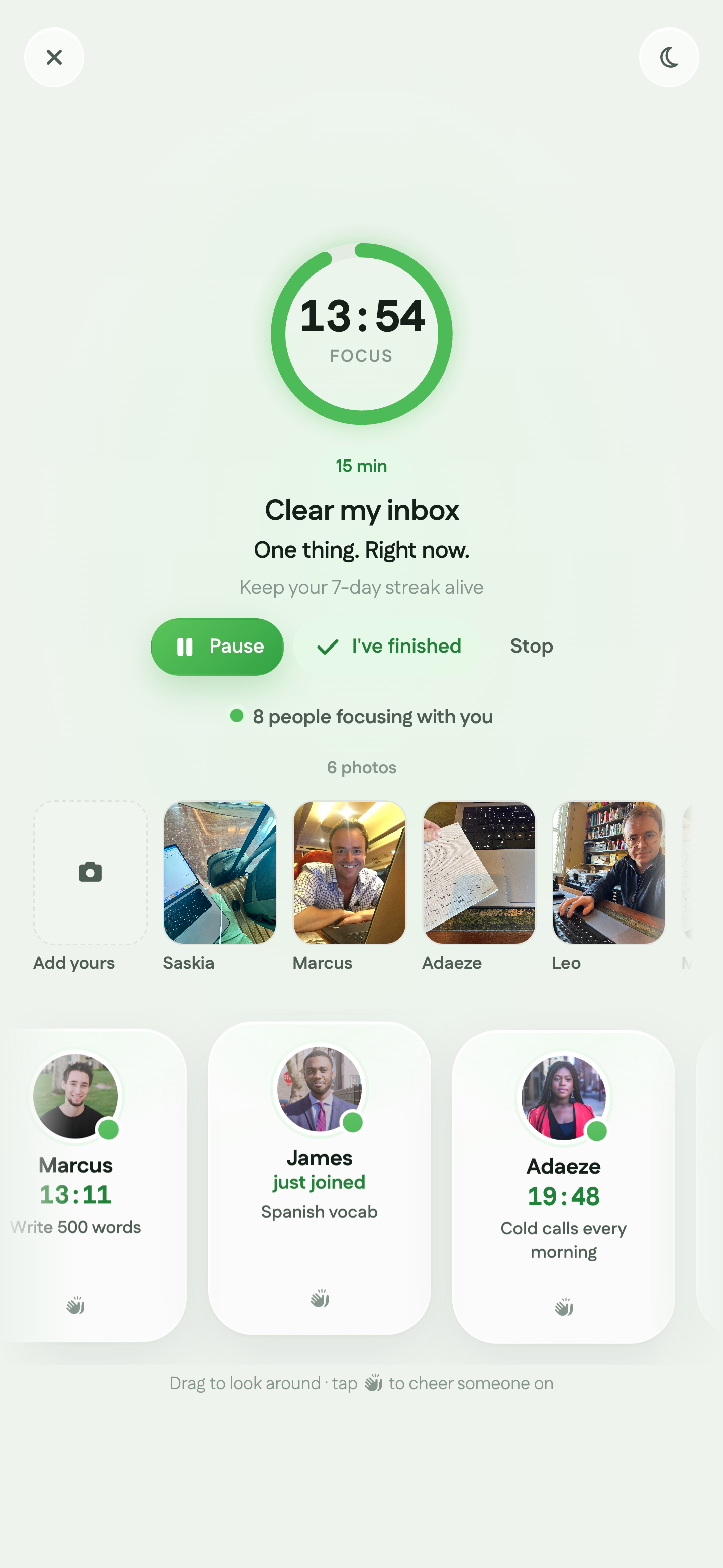
95 is virtual coworking for remote workers. Say what you're working on, set a timer and work alongside other people online. There's no video call and nobody to talk to.


A typical Thursday
In an office, having other people working around you keeps you going. At home there's the washing, the fridge and your phone, and nobody to notice if you spend half an hour on any of them.
So the work with a meeting attached gets done and the work that needs real concentration doesn't. You answer messages because they're quick and somebody is waiting. Nobody is waiting for the report, the spec or the difficult email, so they slip.
It's one of the most common problems with remote work, and it has little to do with willpower. Virtual coworking puts other people back in your working day without adding another call to your calendar.
It's usually the work with no meeting attached. Pick one task and give it a session.
It has a deadline but nobody is chasing it yet. Choose one section, set 25 minutes and write it.
The spec, the analysis or the project that needs proper concentration. Close Slack and give it a 50-minute session.
The awkward reply, the overdue update or the decision someone won't like. Give it 15 minutes and send it.
If it isn't in the calendar, it tends not to happen. A session gives it a start time and a finish.
Having other people working at the same time is what keeps you on task, and you can get that without another meeting.
 EdQuarterly report
 NoorProduct spec
 AlexA difficult email
 Sam50 minutes of deep work
Working from home alone
You sit down to write the report. A message comes in, then the washing machine finishes, then you check the news. At five o'clock the document has a title and not much else.
Coworking on 95
You've said you're writing the report and the timer is running. You can see other people getting on with their work. The washing can wait 25 minutes.
95 isn't only for remote workers. Founders, writers and students use the same room to get their own work done.
There's nothing to book and your team doesn't need to join. Your first 7 days are free, then Focus Together is part of Premium. Employers who want a private space for their people can set up virtual coworking for teams.
Be specific. “Catch up on work” is too vague to start. “Write the summary section” is something you can do in 25 minutes.
Your timer starts as soon as you join, so you can fit a session in between calls.
You'll see who else is working and what they're doing, and they'll see you. There's no webcam, no microphone and no chat.
Take a proper break, start another session or go back to your messages.
Start free for 7 days, or download the app and begin your first session.
It's working online alongside other people while you each do your own tasks. On 95 it happens in Focus Together: you say what you're working on, set a timer for 15, 25 or 50 minutes and get on with it.
Give each piece of work a clear task and a time limit, and do it with other people around. Virtual coworking covers all three: you name the task, the timer sets the limit and the room provides the people.
No. There's no webcam, microphone or chat. You see names, photos and what people are working on, and that's all.
No. You join on your own and work alongside whoever is in the room. You can invite a colleague if you'd like company you know.
Many remote workers miss having people around while they work. Focus Together won't replace your colleagues, but it does mean you're no longer working alone.
15, 25 or 50 minutes. Use 15 for the email you're avoiding and 50 for deep work.
Focus Together is free for your first 7 days, with no card needed. After that it's part of Premium. The Free plan stays free, and the pricing page has the details.
Join free, say what you're working on and get it done with other people around. No card needed.
Also for Founders, Writers, and Students. See Virtual Coworking · Pricing