
The pitch deck
It's been nearly done for weeks. Choose the slide you've been avoiding and give it 25 minutes.
You sat down to finish the pitch deck. Three hours later the inbox is empty, the to-do list is colour-coded and the deck hasn't moved.
95 is virtual coworking for founders and freelancers who work alone. Say what you're working on, set a timer and get it done alongside other people doing the same.


Still on your list
When you run the business yourself, nobody notices if the hard jobs slip. There's no boss, no team and no deadline except the one you set. So you answer emails, tweak the website and call it research, because all of it feels like work.
Most people who work alone do this. The tasks that get put off are the ones that matter and feel risky: the pitch you're not sure about, the sales email that might get a no, the numbers you'd rather not look at.
Virtual coworking gives you what an office would. Other people are working, you've said what you're going to do, and that makes it much easier to start. It works just as well for freelancers and sole traders.
Pick one, give it a session and do nothing else until the timer ends.
It's been nearly done for weeks. Choose the slide you've been avoiding and give it 25 minutes.
Outreach is easy to put off because any reply could be a no. Write the emails in one sitting and send them before the timer ends.
The forecast, the pricing or the cash flow you haven't looked at properly. Open the spreadsheet and stay with it for one session.
Admin spreads across the whole week if you let it. Give it a fixed 50 minutes, then get back to building the business.
It's why you get more done in an office, a library or a busy café. 95 gives you that from your own desk.
 EdPitch deck
 AlexTen follow-up emails
 NoorInvoices
 SarahClient proposal
Working alone
You open the deck, then check Slack, then answer one quick email. By five o'clock you've been busy for eight hours and the thing that mattered is exactly where you left it.
Coworking on 95
You've told the room you're working on the deck. The timer is running and everyone else is getting on with their own work. Sneaking off to your inbox feels a lot harder than it does on your own.
95 isn't only for founders. Writers, students and remote workers use the same room to get their own work done.
There's nothing to book and nobody to talk to. Your first 7 days are free, then Focus Together is part of Premium.
Be specific. “Work on the business” is too vague to start. “Finish the pricing slide” is something you can do in 25 minutes.
Your timer starts as soon as you join. Use a short session to get going on something you've been dreading.
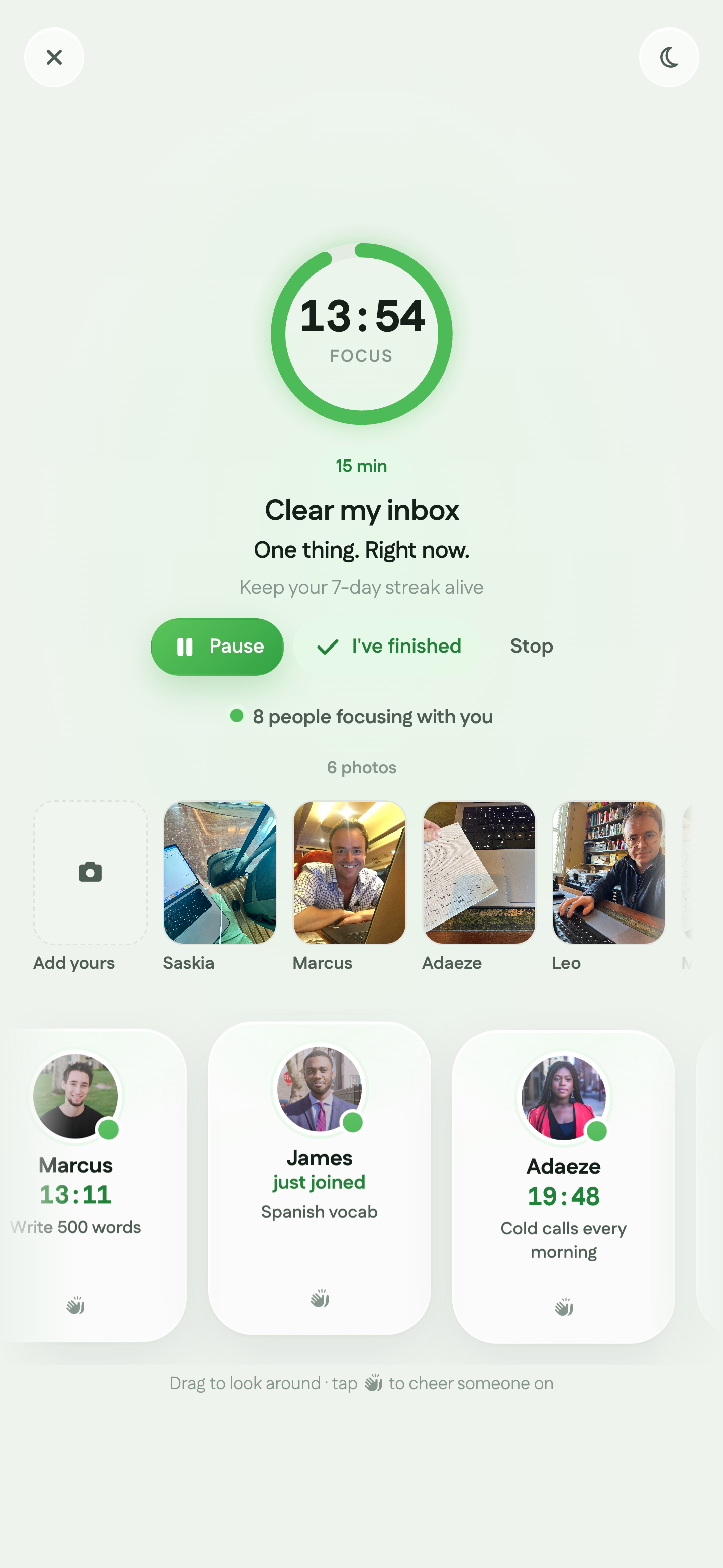
You'll see who else is working and what they're doing, and they'll see you. There's no webcam, no microphone and no chat.
Take a break, start another session or get on with your day with the hard thing done.
Start free for 7 days, or download the app and begin your first session.
Virtual coworking means working online alongside other people while you each do your own tasks. On 95 it happens in Focus Together: you say what you're working on, set a timer for 15, 25 or 50 minutes and get on with it.
When you work alone, nobody notices if you put off the hard tasks. In a room of people working, you've said what you'll do and others can see you're there. That makes it easier to start and harder to drift.
No. There are no pitches, introductions or group chats. Everyone works quietly on their own thing.
Yes. Client work, proposals, invoices and tax returns all suit a session. You don't need to run a company to join.
No. There's no webcam, microphone or chat. People in the room see your name, your photo and what you're working on.
Yes, you can invite them to join you. You don't have to wait for them, though, because there are already people working in the room.
15, 25 or 50 minutes. Use 15 to get started on something you've been avoiding and 50 for deep work.
Focus Together is free for your first 7 days, with no card needed. After that it's part of Premium. The Free plan stays free, and the pricing page has the details.
Join free, say what you're working on and get it done alongside other people. No card needed.
Also for Writers, Students, and Remote workers. See Virtual Coworking · Pricing